Simple Clean Design is a Twenty Sixteen child theme for bloggers.
Specification
App Category
WordPress Theme
Software Name
Clean Design Twenty Sixteen Child Theme
Version
1.1
Date Modified
2016-05-05
Operating System
WordPress
Description
Clean, smooth and minimalist child theme skin for WordPress twenty twelve theme
Landing Page
File Format
application/zip
Simple Clean Design Theme Preview
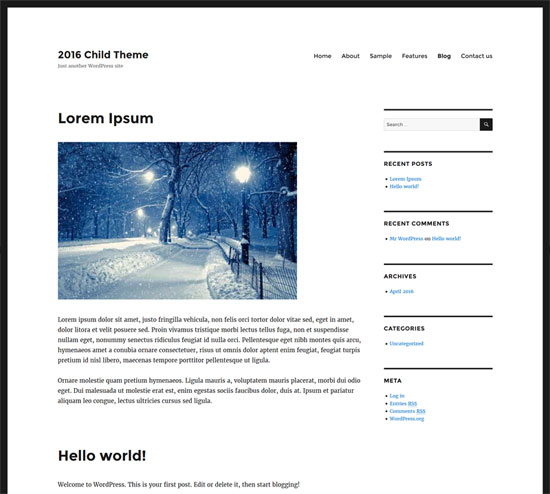
Theme Features
This is a Twenty Sixteen child theme so you get all the standard features of the main twenty sixteen theme:
- It will allow you to update the basic twenty sixteen framework without breaking your customization.
- Support for featured image for each blog posts.
- Custom header settings from your dashboard
- Multi-level dropdown menu
- WordPress custom menu functions
- Widgetized areas
- Full width custom page template
- Custom thumbnail setup for categories and archives
- Comments can be enabled on static pages
- Threaded comments
- Simple and clean design
- Translation ready
- Responsive theme
- Very small theme package, under 50 KB
- Compatible with the latest version of WordPress
Download the Child Theme
Download the clean design child theme.
How to Install the Child Theme
- Log in to your WordPress dashboard and go to Appearance menu, Themes sub-menu,
- Click Install Themes tab and select Upload option.
- Upload the zip file (2016-child-simple-clean-design.zip) and activate the theme.
Check out our WordPress development page for more cool WordPress resources.


No comments:
Post a Comment